Enhancing Core Flows
WEEK 11
Felipe de Souza
11/14/2025
This Week's Focus: Refactoring Level and Progress Component
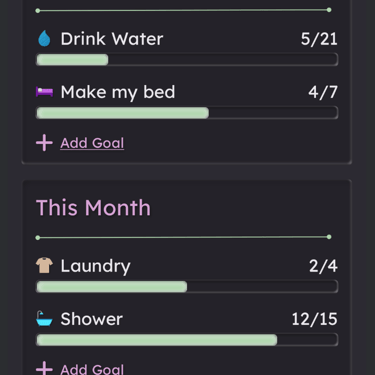
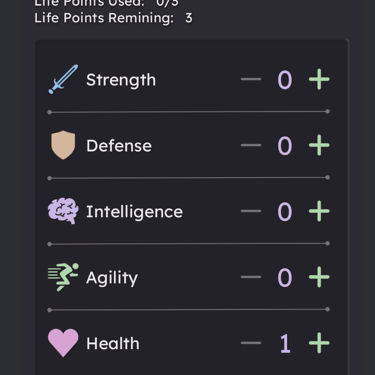
Most of my time this week went into cleaning up the Level & Progress UI so it actually matches how our data works now.
I refactored LevelAndProgress into a more flexible composable that can work in two ways:
If a StatsUi object is passed in, it just renders that data.
If statsUi is null, it quietly reaches into FirestoreRepository.getCurrentUser() and builds the StatsUi from the live user document.
From there, the composable handles:
Calculating the XP progress safely (including the edge case where xpToNextLevel is 0)
Showing a small inline loader while data is being fetched
Toggling the “What does level mean?” tooltip with our info icon
This keeps the UI dumb and the data flow clearer, and it also makes the Level & Progress row reusable anywhere else in the app.
Building a Safe Delete Account Flow
We also started tackling one of the more sensitive pieces of the app: account deletion.
On the backend, I added a deleteUser method to FirestoreRepository that:
Confirms we have a valid, signed-in user
Deletes the user’s Firestore document (and related data like reminders)
Deletes the Firebase Auth user so their credentials are fully removed
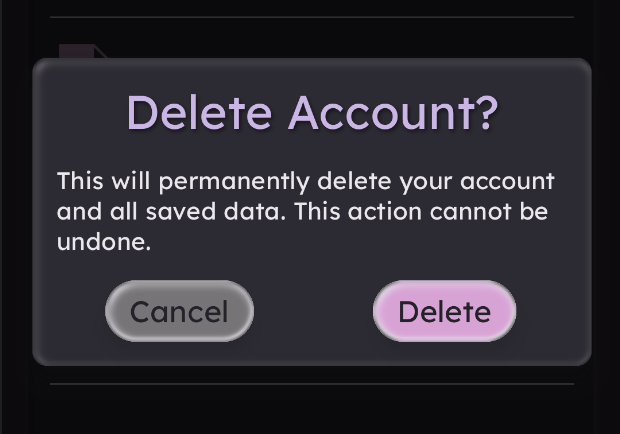
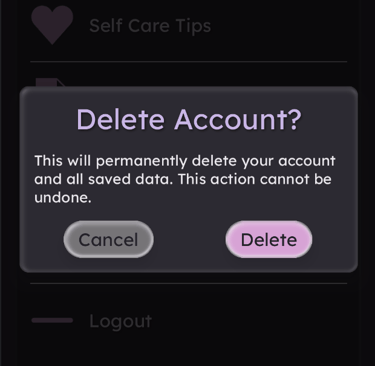
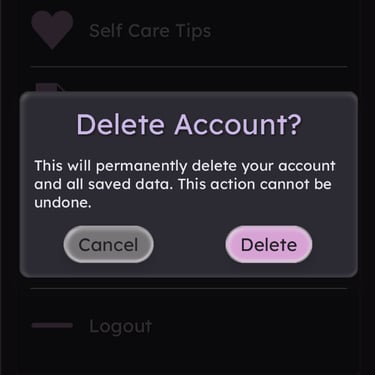
On the UI side, we wired this into the Settings screen under “Delete Account,” but we made sure it’s not a one-tap mistake. Instead of a raw Material dialog, I switched to use the team’s shared CustomDialog component so the confirmation matches our existing visual language.
The dialog:
Clearly explains that the change is permanent
Offers “Cancel” and “Delete Account” actions
Only calls deleteUser if the user confirms
It’s a small interaction, but it matters a lot for user trust and for not accidentally nuking someone’s progress.
A False Impediment: Firebase Delete User Data Extension
For a moment, I thought we’d hit our first “real” project-level blocker.
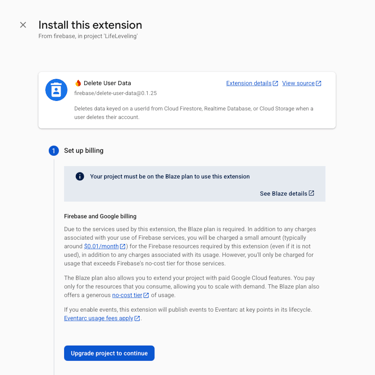
While researching best practices for account deletion, I found the Firebase “Delete User Data” extension. It sounded perfect—automatically cleaning up user-keyed data across Firebase when an account is deleted.
Then the fine print hit: this extension requires upgrading the project to the Blaze (paid) plan, and our capstone is currently on the Spark (free) tier. At first, I panicked a bit and assumed this meant we couldn’t safely handle deletion at all.
After digging deeper, I realized two important things:
The extension is mainly there to help when you’re wiring together multiple services like Realtime Database and Storage.
Our app is built around Cloud Firestore, and we already control our own data access through FirestoreRepository.
In other words, we don’t need the extension for our current architecture. As long as we centralize deletion logic in one place (which we’re now doing with deleteUser) and are consistent about how we store user-scoped data, we’re fine on the Spark plan.
I took a screenshot of the extension/paywall as a reminder that sometimes “impediments” are really just misunderstandings of the tooling.
A Real-World Impediment: Expired Parallels License
The second “impediment” this week wasn’t about code at all—but it definitely hit my stress levels.
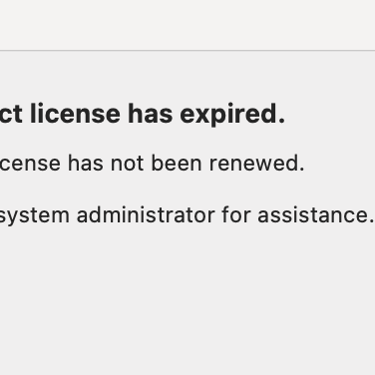
My Parallels license on my MacBook expired, which means I suddenly lost access to my Windows virtual machine. Every Windows-based class I’ve taken in this program lives inside that VM—projects, labs, notes, everything. I never backed that environment up outside of Parallels.
Now I’m stuck trying to figure out how to either:
Regain temporary access long enough to export those files, or
Recover the disk image and mount it another way
It’s not directly related to LifeLeveling, but it was a wake-up call about backups and risk management. For an app that’s all about building better life systems, it’s a bit ironic that my own backup system wasn’t robust enough. Lesson learned: if it’s important, it needs to live somewhere more durable than a single VM.
I grabbed a screenshot of the “Your product license has expired” dialog because it perfectly captures that “oh no” moment.
Improving Team Communication by Introducing KDocs
As the project grows, reading each other’s code quickly is becoming just as important as writing new features.
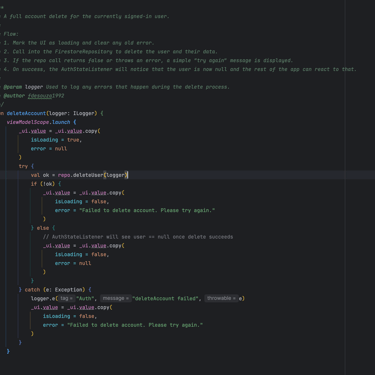
This week, we started adding KDoc comments to key methods in AuthViewModel.kt (and we’ll be circling back to our older methods too). The goal is simple:
Make it obvious what each function does
Clarify when and how it should be used
Document any “gotchas” around Firebase, Firestore, or async behavior
We made this a team decision so that everyone’s logic is easier to follow during code reviews, merges, and late-night debugging. Future us will appreciate it.
Gallery
Explore
Discover my journey as a software engineer.
© 2025. All rights reserved.